Inventory Management System
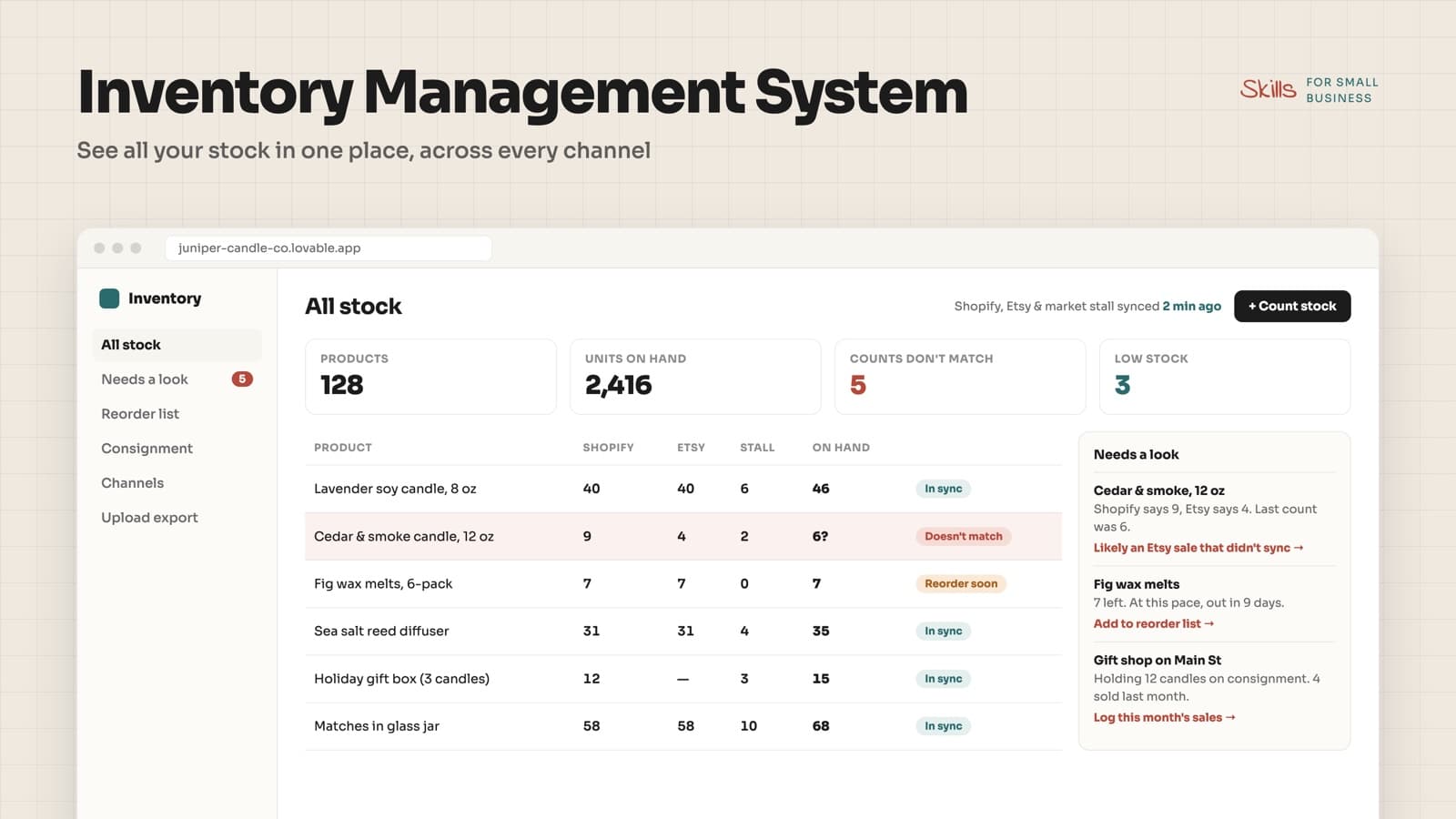
Built for product sellers on more than one channel: your own store plus Etsy or Amazon, a market stall, a shop counter, or stock on consignment in someone else's store.
What's included
The stock dashboard, the needs-a-look queue, the reorder list, the consignment tracker, and the underlying code to remix for your shop.
What it does
Pulls your stock from each place you sell, by connection or a regular spreadsheet export, and matches the same product across channels. You get one table of true on-hand counts, a list of items where the channels disagree (with the likely reason), low-stock flags with a simple reorder list, and a view of what's sitting with each consignment partner.
What you'll need
How to set it up
- 1Connect your store, or upload an export from each channel you sell on.
- 2Confirm how products match across channels; fix any it couldn't pair up.
- 3Enter a starting count for anything you keep at a stall, a shop, or a partner store.
- 4Set a low-stock level for your best sellers.
- 5Check the needs-a-look queue once a week and after every market or restock.
How to make it your own
If this feels like too much
We can wire it up to your existing tools, load your data, and customize it for how your business actually works.
Have us build it